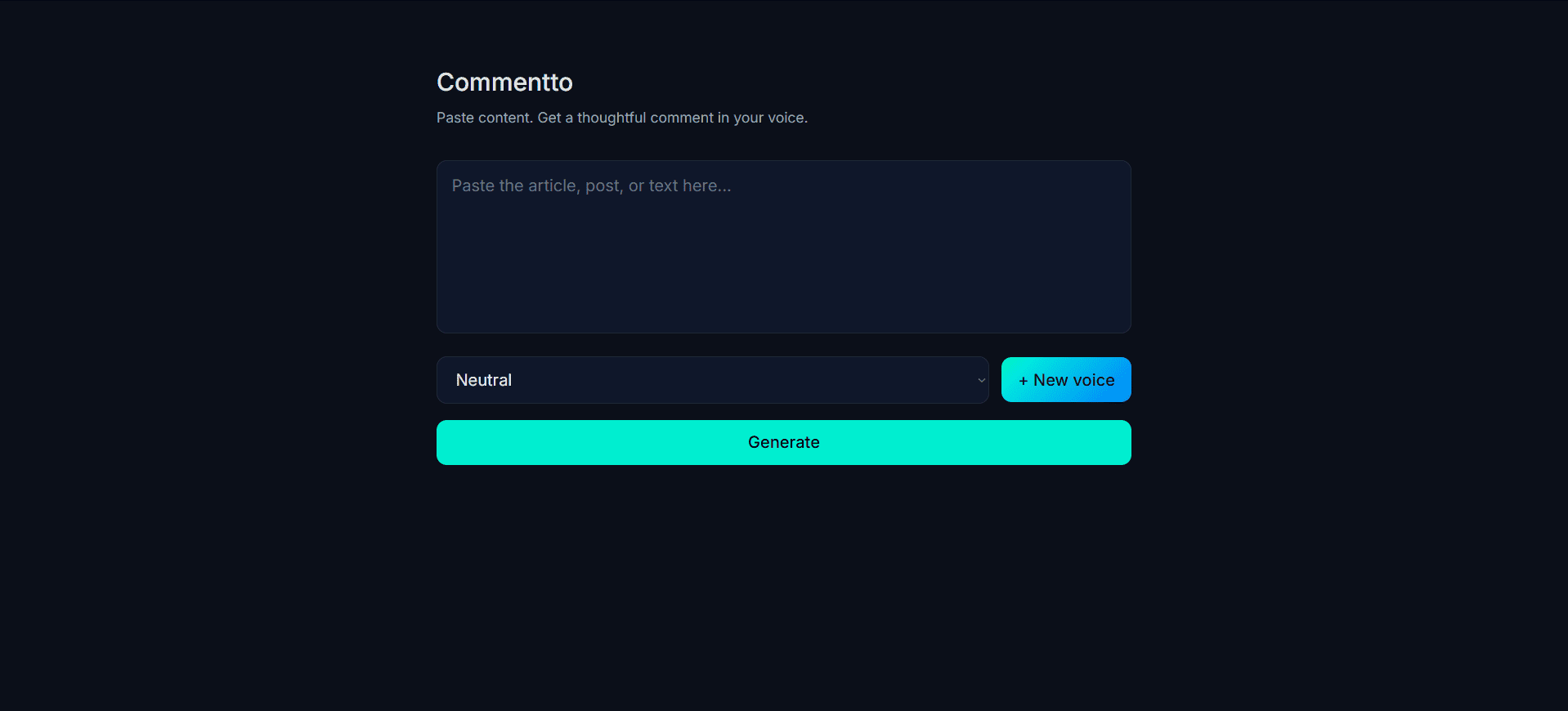
Commentto — Case Study
A production-ready Chrome extension build + web app that summarizes long-form content and generates concise, thoughtful comments in the user’s writing voice.
Designed for real-world usage, not prompt demos.
Background / Why This Matters
Engaging with long-form content (blogs, LinkedIn posts, essays) has a hidden cost:
- reading takes time
- writing thoughtful comments takes even more time
- most AI tools produce generic, off-voice responses
I wanted to explore what happens when:
- AI understands the content first
- responses are conditioned on a strict “voice profile”
- the tool lives directly in the browser
- there is no account system or friction
The goal was to reduce the activation energy of thoughtful engagement.
Project Goal
Build a system that:
- extracts meaningful content from any webpage
- summarizes it accurately
- generates a short comment in a specific writing voice
- works instantly from the browser
- feels lightweight and disposable, not like a SaaS app
My Role
I built the entire system end-to-end:
- Chrome extension (MV3 + Vite)
- React popup UI
- Background + content script communication
- AI backend (Next.js API routes)
- Voice modeling and prompt design
- Monorepo architecture and deployment
Architecture Overview
Monorepo Structure
commentto/
├── apps/
│   ├── web/          # Next.js app + API routes
│   └── extension/    # Chrome extension (Vite + MV3)
│
├── packages/
│   ├── types/        # Shared domain contracts
│   ├── voices/       # Preset voice definitions
│   ├── utils/        # Shared helpers
│   └── ui/           # Reusable UI components
This structure ensured:
- a single source of truth for voices and types
- no duplication across web and extension
- predictable imports via workspace packages
- easy future expansion (API, mobile, paid tiers)
How It Works (Flow)
-
User clicks Generate in the extension popup.
-
Background service worker injects a content script.
-
Page text is extracted from
article,main, orbody. -
Content is sent to the production API.
-
Backend:
- safely truncates input
- summarizes content
- generates a voice-conditioned comment
-
Result is returned to the popup UI.
-
The extension is currently loaded via developer mode, allowing rapid iteration without store-level constraints.
The entire flow is designed to feel instant and local.
AI & Voice Modeling
Summarization
- Low temperature for stability
- Opinion-free summaries
- Explicit truncation guard for long pages
Voice Profiles
Instead of vague prompts like “be casual”, each voice is defined as a concrete profile describing:
- tone
- sentence structure
- behavioral rules
This significantly reduced “voice drift” and made generations consistent across runs.
Key Challenges & Solutions
1. Chrome Extension MV3 + ESM
Problem: Service workers failed silently due to ESM vs classic script mismatch.
Solution:
- Explicitly marked the background worker as a module
- Flattened build output for Chrome compatibility
Why it mattered: Modern bundlers default to ESM, but MV3 requires precise configuration.
2. Monorepo Dependency Drift
Problem: Types and voice presets began drifting between web and extension.
Solution:
- Migrated to a pnpm workspace
- Extracted shared logic into packages
- Enforced lockfile correctness in CI
Why it mattered: Prevented subtle runtime mismatches and simplified iteration.
3. Voice Consistency (“AI Voice Drift”)
Problem: Early generations felt similar across different voices.
Solution:
- Tightened prompt constraints
- Made presets opinionated and explicit
- Reduced model freedom where consistency mattered
Browser Extension Design Philosophy
I intentionally avoided:
- user accounts
- cloud persistence
- onboarding flows
- paid gates
Instead, the extension is:
- instant
- local-first
- private by default
- usable without commitment
Custom voices are stored using browser storage and persist across sessions.
Outcomes / Learnings
This project reinforced several lessons:
- browser extensions surface real-world edge cases quickly
- explicit prompt constraints matter more than clever wording
- monorepos reduce complexity when used intentionally
- product friction is often architectural, not UX-only
- shipping across multiple surfaces changes how you design APIs
Final Thoughts
Commentto was not built as a tutorial clone or demo.
It reflects:
- real architectural trade-offs
- production debugging
- product-driven design decisions
- thinking beyond a single UI surface
It’s the kind of system I’d want to use daily — and the kind I enjoy building.
The system is fully deployable today, with Chrome Web Store publication intentionally deferred until product direction is validated.
Recent Iterations & Advanced Features
As the project matured, I extended Commentto beyond basic summarization and generation, focusing on real-world usage patterns and edge cases surfaced through daily testing.
1. Loosened Prompt Constraints (Expressiveness Without Quality Loss)
Early versions of the system produced consistent but overly “AI-sounding” comments. While technically correct, they lacked personality and variation.
What changed:
- Reduced over-constraint in generation prompts
- Increased temperature selectively (generation only, not summarization)
- Shifted prompts from rule-heavy instructions to behavioral guidance
Result:
- Comments became more human, expressive, and varied
- Performative voices (e.g. character-based or stylized tones) were able to fully lean into personality
- Interpretive voices retained clarity without sounding generic
This demonstrated that prompt looseness must be intentional, not random — stability and expressiveness can coexist when constraints are applied selectively.
2. Regenerate Variations (Low-Noise UX)
Instead of introducing a complex versioning system, I added a lightweight regeneration capability.
Design choices:
- Same input, same voice, different expressive take
- Subtle “Try another” affordance (not a primary CTA)
- No additional configuration or sliders
Why it matters:
- Encourages exploration without overwhelming the user
- Makes variation feel intentional rather than accidental
- Lays groundwork for future draft-based workflows
In practice, this revealed that small prompt nudges combined with controlled randomness are sufficient for meaningful variation.
3. Content-Length Awareness (Avoiding “Summary of a Tweet”)
Summarizing short-form content (tweets, short posts) often leads to awkward or redundant outputs.
Solution:
- Detect short content early in the pipeline
- Skip summarization when unnecessary
- Generate direct reactions instead of forced summaries
Impact:
- Comments feel contextually appropriate
- No “This post discusses…” syndrome
- Better alignment with feed-based platforms
This reinforced the idea that AI pipelines should adapt to content shape, not treat all inputs equally.
4. User Draft → AI Enhancement Mode
To support users who already have a rough comment in mind, I introduced a draft-enhancement flow.
How it works:
- User pastes a rough comment
- AI improves clarity, tone, and flow
- Original intent is preserved
- Voice profile is still applied
- Regeneration produces alternate phrasings, not new ideas
Key constraint: The AI acts as an editor, not a generator.
This feature shifted Commentto from “comment generator” to a more flexible writing assistant, without complicating the UI or mental model.
5. Viewport-Aware Content Reading (Feed-Friendly Extraction)
Traditional content extraction works well for blogs, but fails on infinite feeds (LinkedIn, Twitter, etc.).
Final approach: A progressive extraction strategy:
- Attempt viewport-aware extraction (partially visible, text-heavy elements)
- Fall back to semantic containers (
article,main) - Final fallback to
document.body
Why this matters:
- Feed posts are often only partially visible
- Strict viewport rules break easily
- Extraction must be resilient, not “smart but brittle”
This hybrid approach ensures:
- Blogs are summarized correctly
- Feed posts reflect what the user is actually reading
- The system never fails silently due to layout differences
Updated Learnings
These iterations reinforced several additional lessons:
- Progressive enhancement beats “clever” single-pass logic
- Browser extensions expose UX + architecture issues faster than web apps
- AI quality is as much about what you don’t do as what you do
- Small, well-placed affordances outperform feature-heavy controls
- Real-world content is messy — systems must degrade gracefully
Closing Reflection
As the feature set expanded, the core philosophy remained unchanged:
- no accounts
- no persistence beyond the browser
- no unnecessary abstraction
- no pretending AI knows more than it does
Commentto evolved from a simple summarization tool into a practical writing companion, shaped by real usage rather than theoretical capability.
Every feature was added only after it proved necessary — not because it was possible.